Weโ€™re rewriting our Unreal Engine integration to deliver significantly better performance, and itโ€™s already showing a 4x speed boost. To focus on this effort, weโ€™re temporarily pausing support and no longer recommending the current version of the Rive Unreal plugin, which was released as an experimental preview. More details here.

This page is for those using the legacy version of the plugin.
This guide covers the usage of the ViewModel system in Unreal, which allows binding and synchronizing data between Unreal gameplay logic and Rive animations using a runtime ViewModelInstance.

1. Load the ViewModel

Obtain a ViewModel from a .riv file:
URiveViewModel* ViewModel = RiveFile->GetViewModelByName(TEXT("PlayerData"));
You can also get ViewModels by index or enumerate all ViewModel names using GetInstanceNames().

2. Create a ViewModel Instance

Create an instance of the ViewModel to hold runtime property values:
URiveViewModelInstance* Instance = ViewModel->CreateInstance();
You can also create a default predefined instance:
URiveViewModelInstance* Default = ViewModel->CreateDefaultInstance();
Or create a specific one by name:
URiveViewModelInstance* Instance = ViewModel->CreateInstanceFromName(TEXT("MyInstance"));

3. Bind the Instance to an Artboard

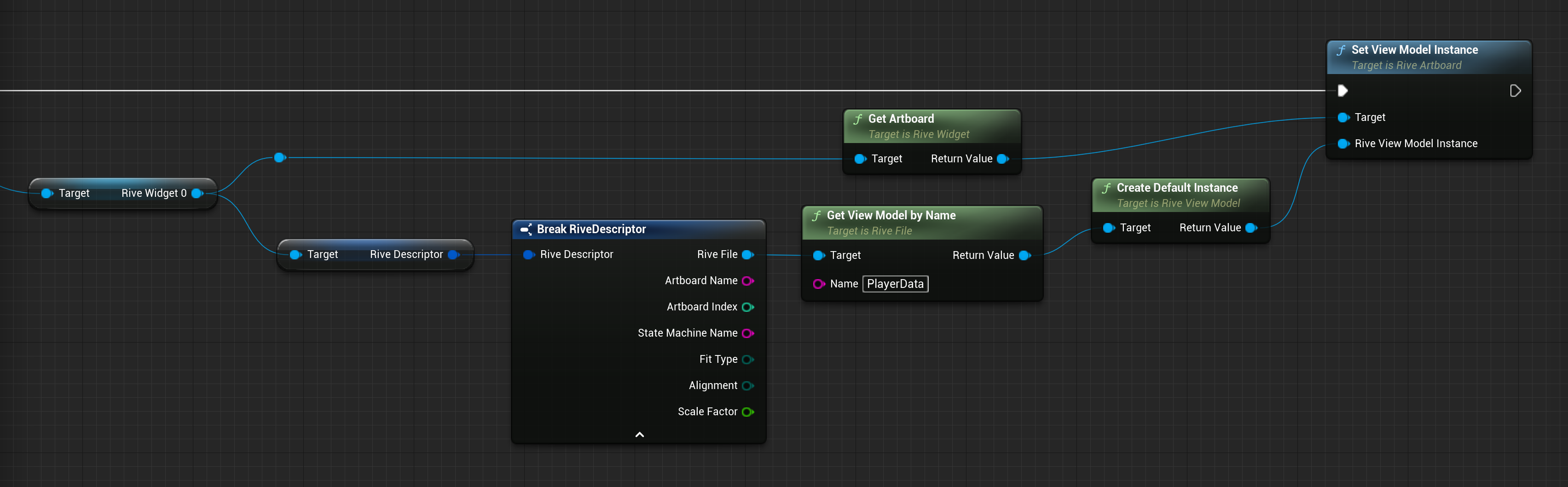
Bind the ViewModel instance to a URiveArtboard to establish data context:
Artboard->SetViewModelInstance(Instance);
This propagates the instance to both the artboard and its FRiveStateMachine , ensuring synchronized behavior. Likewise, setting the ViewModel instance on a state machine sets it on the state machineโ€™s artboard.

These operations can also be performed using Blueprints:\
Databindinginit Pn

4. Access or Modify Properties via the ViewModel Instance

URiveViewModelInstance exposes strongly-typed helper accessors to change and read values without needing to access the underlying porperties:

โœ… Boolean

Instance->SetBooleanPropertyValue("IsAlive", true);
bool bIsAlive = Instance->GetBooleanPropertyValue("IsAlive");

๐Ÿ”ข Number

Instance->SetNumberPropertyValue("Health", 95.0f);
float CurrentHealth = Instance->GetNumberPropertyValue("Health");

๐Ÿ“ String

Instance->SetStringPropertyValue("Username", TEXT("PlayerOne"));
FString Name = Instance->GetStringPropertyValue("Username");

๐ŸŽจ Color

Instance->SetColorPropertyValue("Background", FColor::Cyan);
FColor Color = Instance->GetColorPropertyValue("Background");

๐Ÿงฉ Enum

Instance->SetEnumPropertyValue("Team", TEXT("Blue"));
FString SelectedTeam = Instance->GetEnumPropertyValue("Team");
TArray<FString> ValidValues = Instance->GetEnumPropertyValues("Team");

๐Ÿš€ Trigger

Instance->FireTriggerProperty("OnDamage");

๐Ÿ“ฆ Nested ViewModels

URiveViewModelInstance* WeaponInstance = Instance->GetNestedInstanceByName("Weapon");
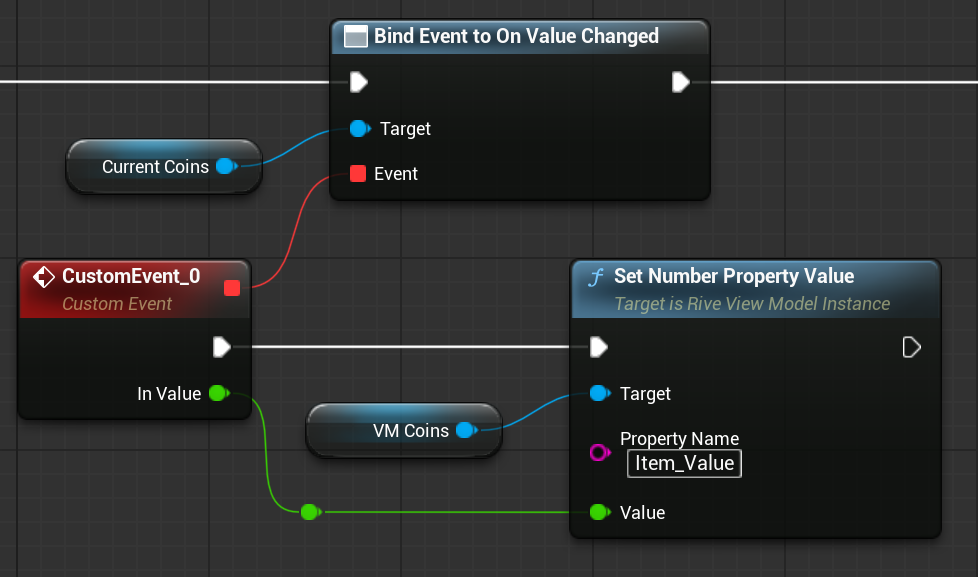
These accessors are exposed to Blueprints, allowing you to get and set property values through the owning ViewModel instance: Vm Accessorrs Pn

5. ๐Ÿงช Using Accessors on Property Objects

Each URiveViewModelInstanceValue subclass exposes GetValue() and SetValue() (or equivalents), enabling direct manipulation. This is especially useful if you want to cache a property for later use.

โœ… Boolean

URiveViewModelInstanceBoolean* BoolProp = Instance->GetBooleanProperty("IsReady");

if (BoolProp)
{
    BoolProp->SetValue(true);
    bool bValue = BoolProp->GetValue();
}

๐Ÿ”ข Number

URiveViewModelInstanceNumber* HealthProp = Instance->GetNumberProperty("Health");

if (HealthProp)
{
    float Old = HealthProp->GetValue();
    HealthProp->SetValue(Old - 10.f);
}

๐Ÿ“ String

URiveViewModelInstanceString* NameProp = Instance->GetStringProperty("DisplayName");

if (NameProp)
{
    NameProp->SetValue(TEXT("RiveBot"));
    FString Value = NameProp->GetValue();
}

๐ŸŽจ Color

URiveViewModelInstanceColor* ColorProp = Instance->GetColorProperty("PrimaryColor");

if (ColorProp)
{
    ColorProp->SetColor(FColor::Green);
    FColor Current = ColorProp->GetColor();
}

๐Ÿงฉ Enum

URiveViewModelInstanceEnum* RankProp = Instance->GetEnumProperty("Rank");

if (RankProp)
{
    TArray<FString> Options = RankProp->GetValues();
    RankProp->SetValue(TEXT("Gold"));
    FString Selected = RankProp->GetValue();
}

๐Ÿš€ Trigger

URiveViewModelInstanceTrigger* JumpProp = Instance->GetTriggerProperty("Jump");

if (JumpProp)
{
    JumpProp->Trigger(); // Fires the trigger
}
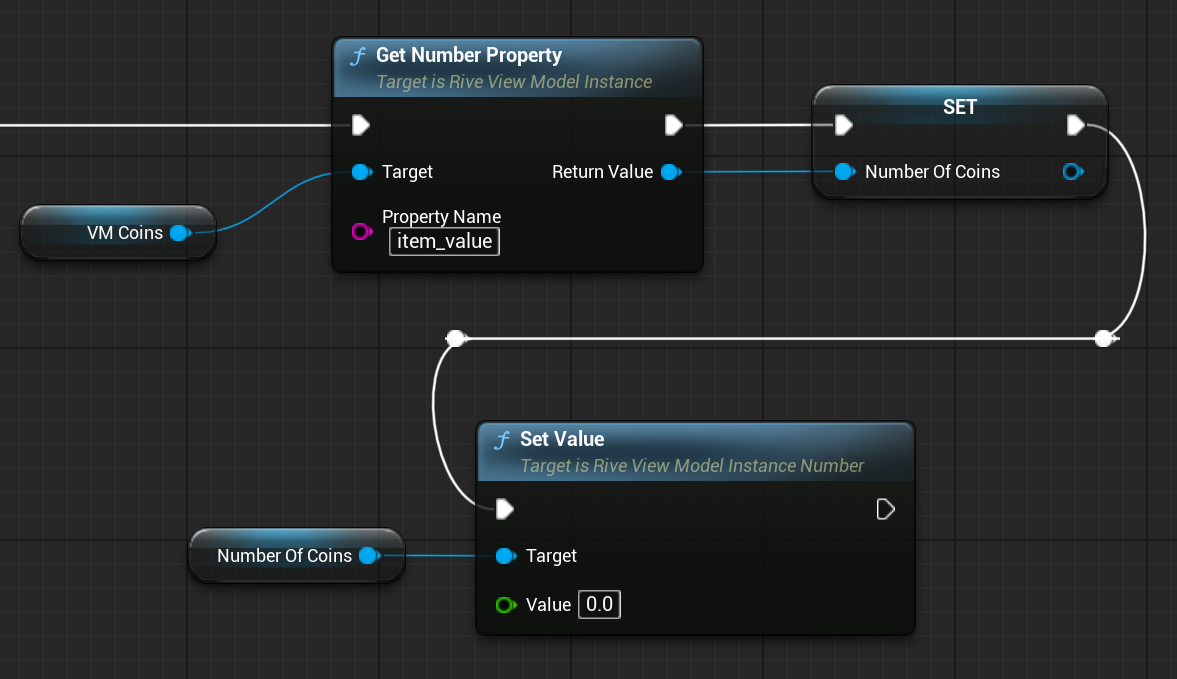
These accessors are exposed to Blueprints, allowing you to get and set values on properties directly: Setpropertyvalue Pn

5. Respond to Property Changes

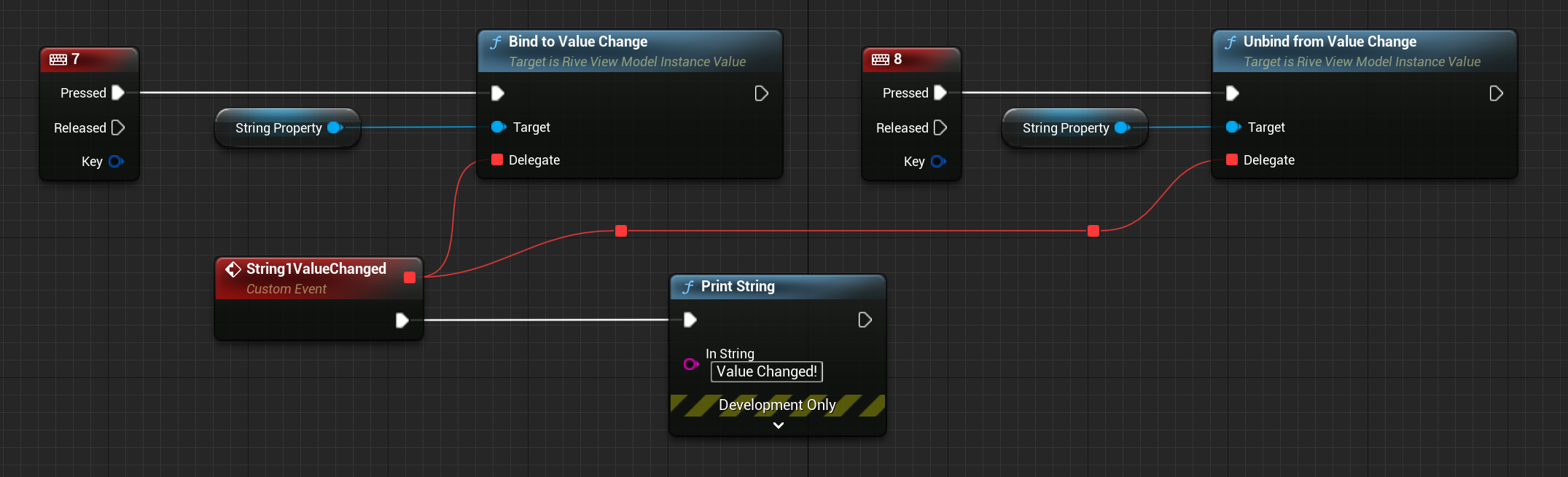
Each property value subclass (e.g. URiveViewModelInstanceString) supports change detection.
URiveViewModelInstanceString* NameProp = Instance->GetStringProperty("Username");

FOnValueChangedDelegate OnChanged;
OnChanged.BindLambda([] {
    UE_LOG(LogTemp, Log, TEXT("Username updated!"));
});

NameProp->BindToValueChange(OnChanged);
Unbind when needed:
NameProp->UnbindFromValueChange(OnChanged);
Or clear all bindings:
NameProp->UnbindAllFromValueChange();
These methods are also exposed to Blueprints, allowing UI widgets to react to value changes seamlessly. Bindtoonchange Pn